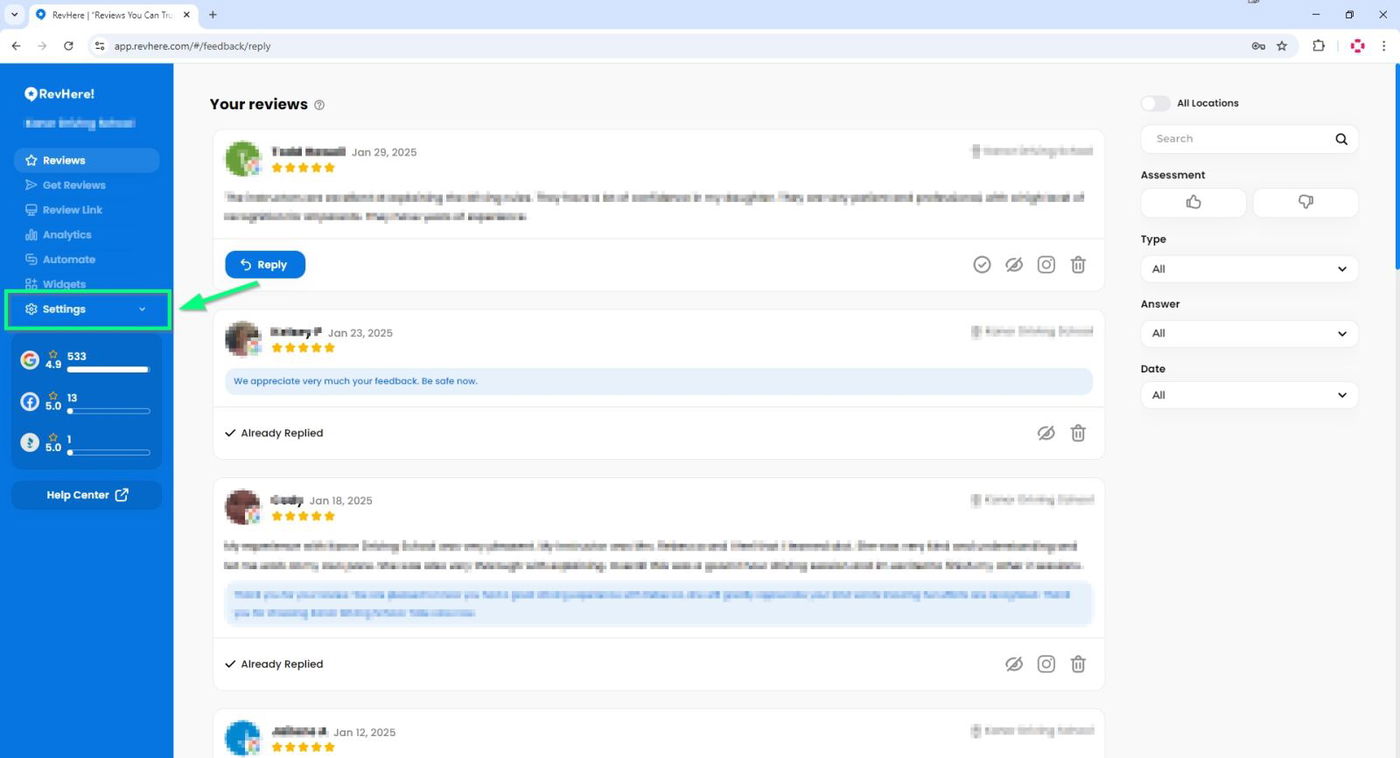
To begin integrating review platforms, click Settings in the left sidebar.
Next, select "Integrations".
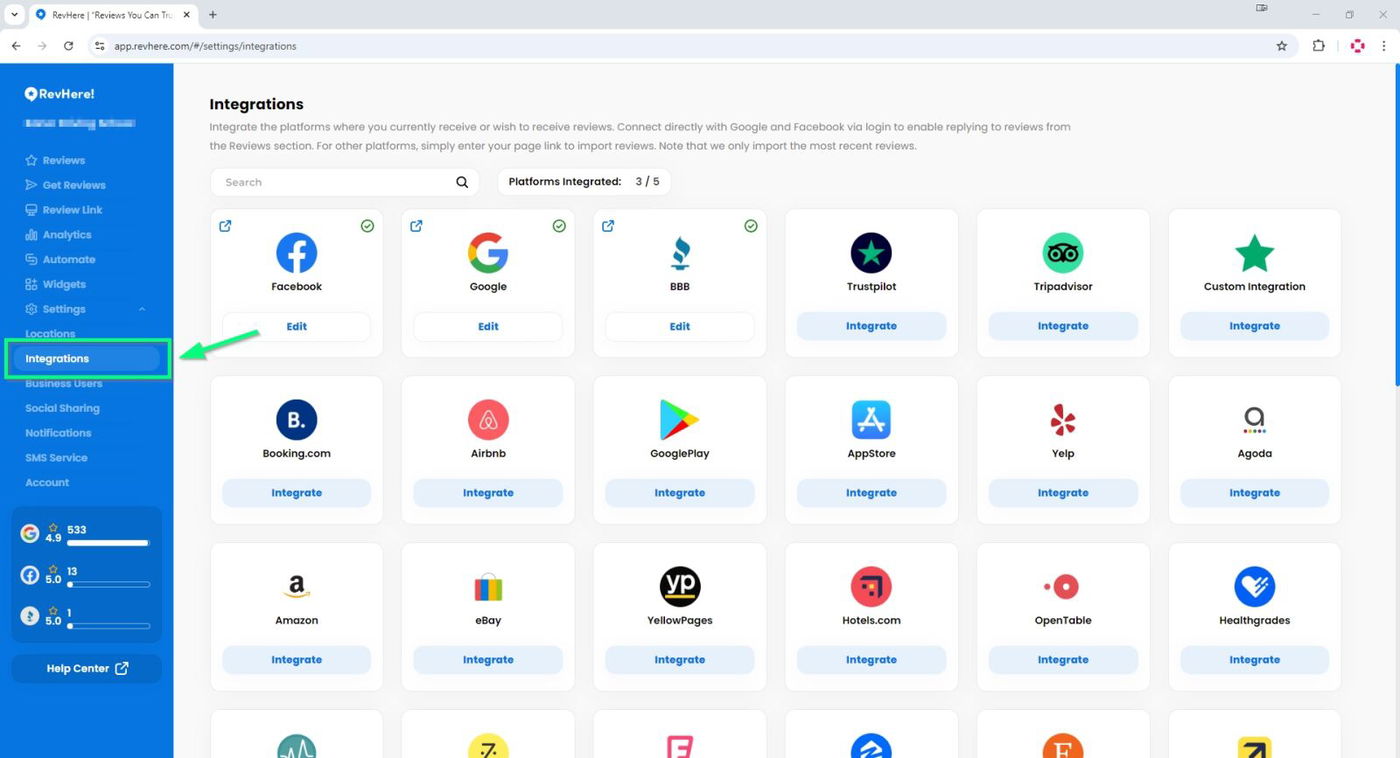
You can integrate with over 20 different review platforms. To connect a platform, click "Integrate" below the desired platform.
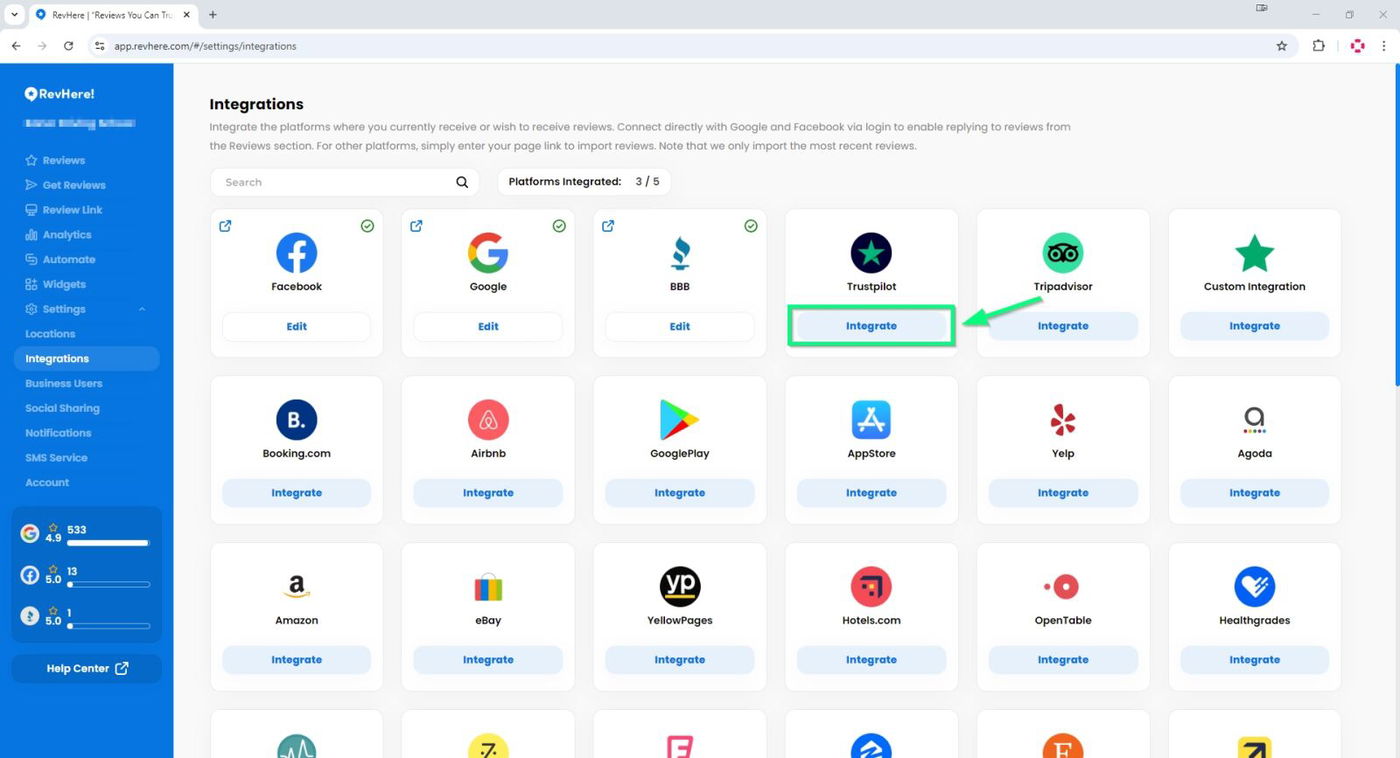
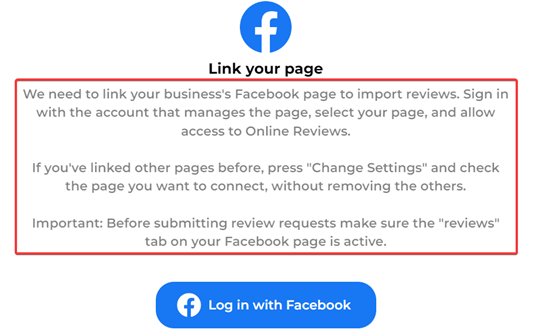
After clicking the "Integrate" button, follow the on-screen instructions to complete the integration process.
For example, the screenshot below displays the integration instructions for a Facebook Page.
If you have any questions or need further assistance, reach out to our support team at support@revhere.com. We're happy to guide you through the integration process in a one-on-one session.