To keep your account secure, it's essential to change your password.
Once you sign in using the credentials from your welcome email, update your initial password by navigating to Settings in the left sidebar.
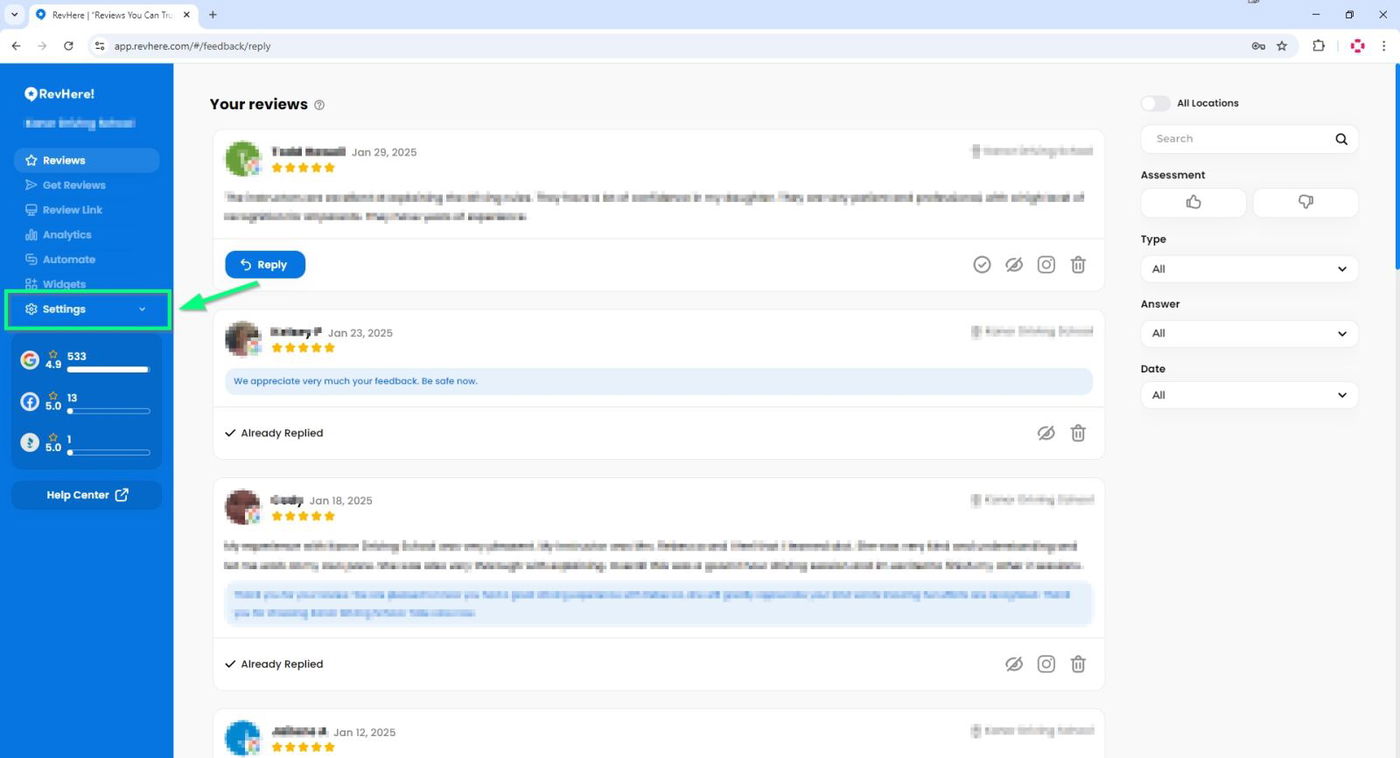
Next, select "Account".

You'll see a field where you can enter your New Password.
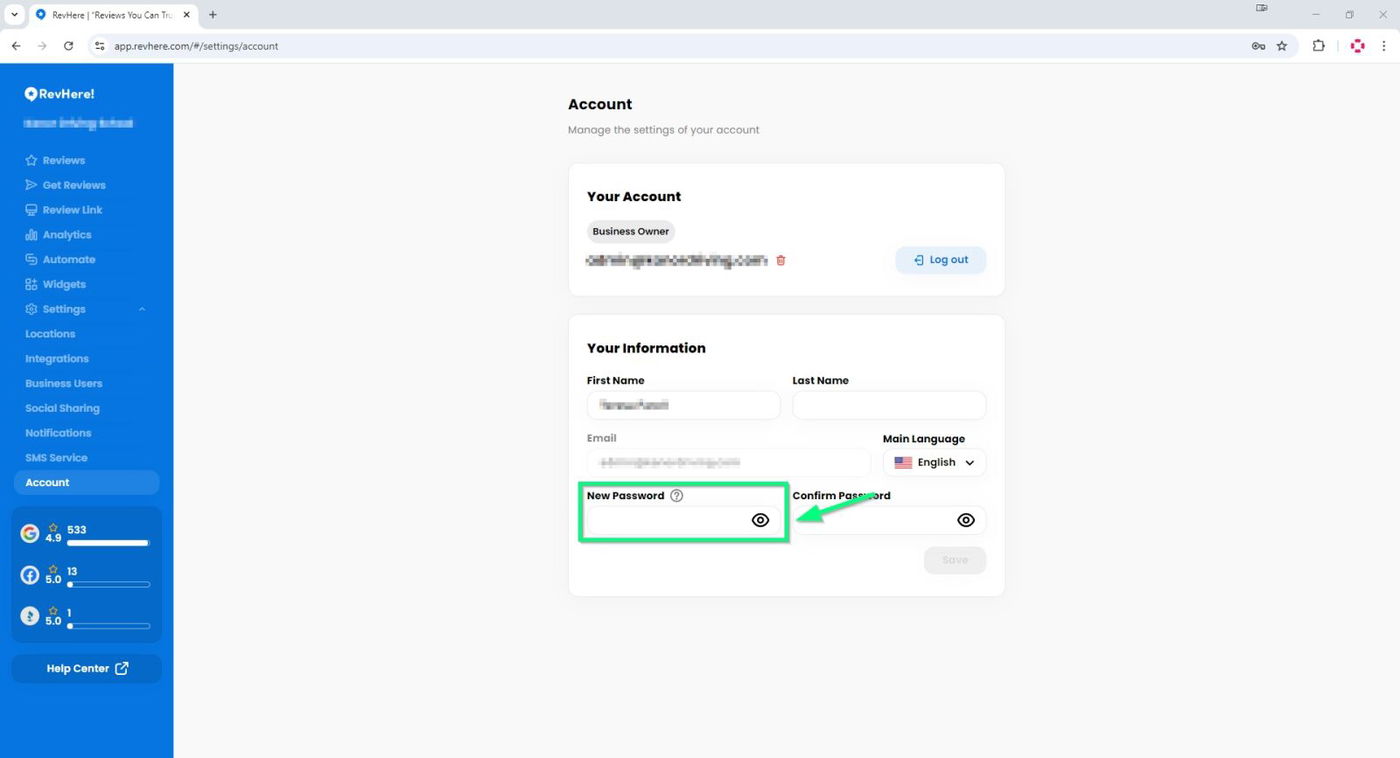
Enter the same password again in the "Confirm Password" field.
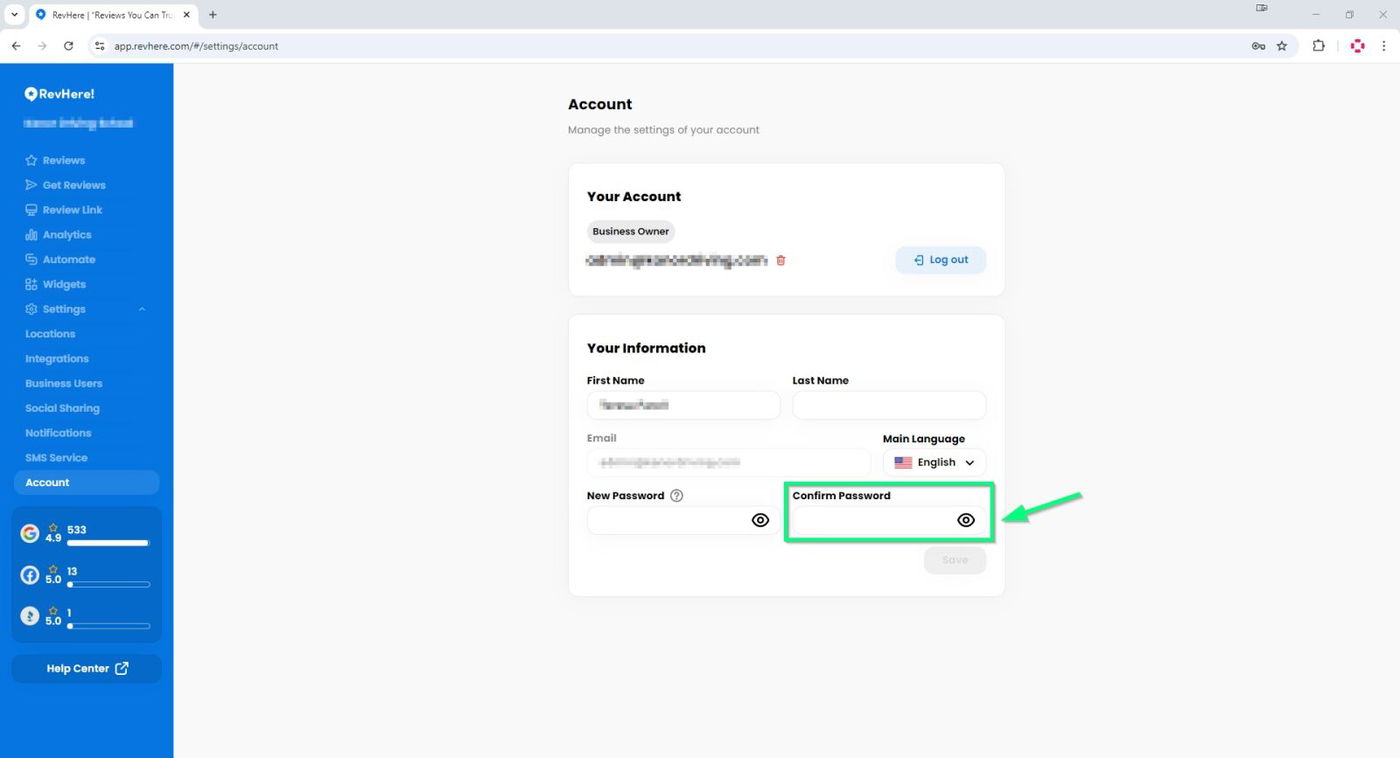
Finally, click "Save".

Make sure to keep your password secure. From now on, use your new password to log into your account.